
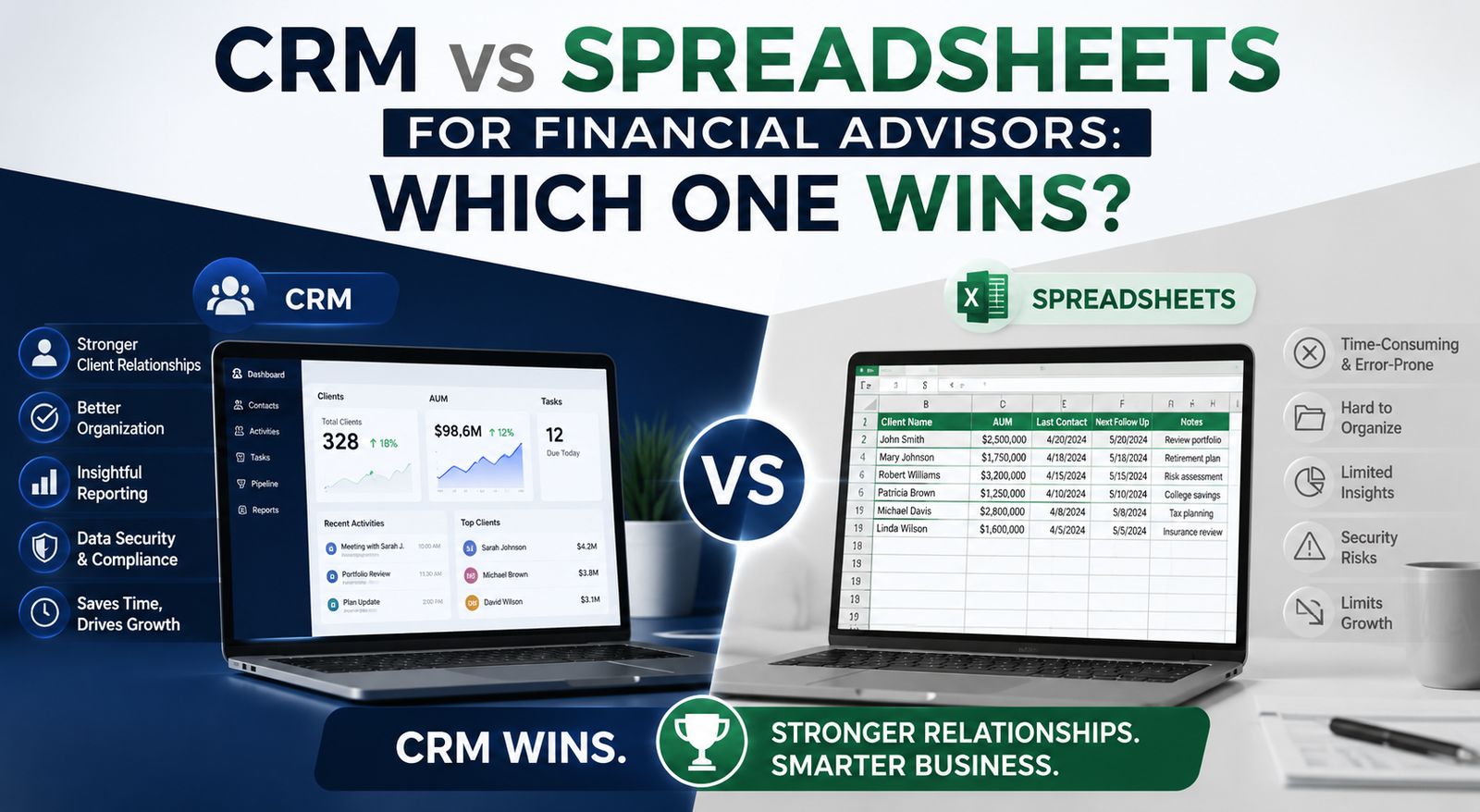
Compare CRM software and spreadsheets for financial client management. Learn which option improves productivity, security, and client satisfaction.
Financial advisors handle far more than portfolios and investment strategies. Every day involves client communication, compliance tracking, follow-ups, meeting notes, document management, onboarding, and relationship building. Many advisors begin with spreadsheets because they are simple, inexpensive, and familiar. But as the client base grows, spreadsheets often become difficult to manage.
This is where CRM software enters the conversation.
The debate around CRM vs spreadsheets for financial advisors is not really about software. It is about efficiency, scalability, compliance, and client experience. Both tools can store data, but they operate very differently when it comes to managing relationships and business growth.
So which one actually wins?
Let’s break it down.
What Financial Advisors Need From a Client Management System
Before comparing CRMs and spreadsheets , it is important to understand what financial advisors truly need from a system.
A modern advisory business typically requires:
- Centralized client information
- Secure document storage
- Automated reminders and follow-ups
- Compliance tracking
- Meeting scheduling
- Task management
- Reporting and analytics
- Workflow automation
- Team collaboration
- Personalized communication
At a small scale, spreadsheets may handle basic tracking. But once operations become more complex, limitations start appearing quickly.
What Are Spreadsheets?
spreadsheets like Microsoft Excel or Google Sheets are general-purpose tools used for organizing data into rows and columns.
Financial advisors commonly use spreadsheets
for:
- Client lists
- Investment tracking
- Revenue calculations
- Appointment schedules
- Lead management
- Goal tracking
Spreadsheets are flexible and easy to start with. Most advisors already know how to use them, which makes adoption simple.
But flexibility can become a problem when processes depend heavily on manual updates.
What Is a CRM for Financial Advisors?
A CRM, or Customer Relationship Management system, is software specifically designed to manage client relationships and workflows.
Financial advisor CRM platforms typically include:
- Client profiles
- Automated workflows
- Email integration
- Compliance logs
- Task automation
- Meeting tracking
- Pipeline management
- Document sharing
- Reporting dashboards
- Communication history
Unlike spreadsheets , CRMs are built for ongoing relationship management rather than static data storage.
Popular CRM platforms for financial advisors include:
- Salesforce Financial Services Cloud
- Wealthbox
- Redtail CRM
- HubSpot CRM
- Zoho CRM
CRM vs Spreadsheets: Key Differences
1. Data Organization
Spreadsheets
Spreadsheets organize information in cells and tabs. This works fine for basic data storage but becomes difficult when managing hundreds of clients.
Problems usually include:
- Duplicate entries
- Missing data
- Broken formulas
- Version confusion
- Hard-to-search records
Finding one client’s complete history may require searching through multiple tabs or files.
CRM
A CRM centralizes everything into one profile.
You can instantly view:
- Contact details
- Meeting history
- Emails
- Notes
- Investment discussions
- Tasks
- Documents
- Follow-up reminders
This creates a complete client timeline in one place.
Winner: CRM
2. Automation Capabilities
Spreadsheets
Most spreadsheet tasks are manual.
Advisors often need to:
- Enter updates manually
- Create reminders manually
- Send emails manually
- Track follow-ups manually
Manual processes increase the risk of missed opportunities and human error.
CRM
CRMs automate repetitive work.
Examples include:
- Automatic meeting reminders
- Birthday greetings
- Lead follow-ups
- Task assignments
- Compliance workflows
- Email sequences
Automation saves hours every week and improves consistency.
Winner: CRM
3. Client Experience
Spreadsheets
Spreadsheets are internal tools only. They do not help improve direct client interactions.
When information is scattered, advisors may forget important details like:
- Family updates
- Financial goals
- Past conversations
- Important dates
This affects personalization.
CRM
CRMs help advisors deliver a more personalized experience.
You can easily track:
- Client preferences
- Investment interests
- Risk profiles
- Life events
- Communication history
Clients feel remembered and valued.
Winner: CRM
4. Compliance and Security
Spreadsheets
Compliance management in spreadsheets can become risky.
Issues include:
- No audit trail
- Weak permission controls
- Accidental edits
- File-sharing risks
- Lack of automated backups
For financial advisors handling sensitive client data, these risks are serious.
CRM
Most financial advisor CRMs include:
- Role-based permissions
- Activity logs
- Secure cloud storage
- Audit trails
- Encrypted data
- Backup systems
This helps support regulatory requirements and internal governance.
Winner: CRM
5. Scalability
Spreadsheets
Spreadsheets may work for 20 or 30 clients. But as businesses grow, spreadsheets become harder to maintain.
Common scaling issues:
- Slow performance
- Data inconsistencies
- Collaboration problems
- Formula errors
- Workflow confusion
Eventually, spreadsheets create operational bottlenecks.
CRM
CRMs are built for growth.
Whether managing 50 clients or 5,000, CRMs can scale with:
- Automated workflows
- Team collaboration
- Advanced reporting
- Multi-user access
- Integrations
Winner: CRM
6. Reporting and Insights
Spreadsheets
Spreadsheets can generate reports, but most require manual setup.
Building dashboards often takes:
- Complex formulas
- Pivot tables
- Manual data cleaning
- Constant updates
This consumes valuable time.
CRM
CRMs provide built-in dashboards and analytics.
Advisors can instantly track:
- Lead conversion rates
- Client retention
- Revenue trends
- Advisor performance
- Follow-up activity
- Pipeline growth
Real-time insights support smarter decision-making.
Winner: CRM
7. Collaboration
Spreadsheets
Collaboration in spreadsheets can get messy.
Teams often experience:
- Multiple file versions
- Accidental overwrites
- Access conflicts
- Communication gaps
CRM
CRMs are designed for team collaboration.
Everyone can access updated client information in real time while maintaining permissions and accountability.
Winner: CRM
When Spreadsheets Still Make Sense
Despite their limitations, spreadsheets are not useless.
They can still work well for:
- Solo advisors with very small client lists
- Temporary tracking
- Budget-conscious startups
- Simple calculations
- One-time reporting
If operations are minimal, spreadsheets may be enough initially.
But most growing firms eventually outgrow them.
Hidden Costs of Using Spreadsheets
Many advisors think spreadsheets save money because they are inexpensive upfront.
But hidden costs add up over time:
Lost Productivity
Manual tasks consume hours every week.
Human Errors
One formula mistake can affect critical financial information.
Missed Follow-Ups
Without automation, opportunities can slip through the cracks.
Poor Client Retention
Disorganized communication affects trust and satisfaction.
Compliance Risks
Lack of audit trails may create regulatory challenges.
These costs are often larger than CRM subscription fees.
Benefits of CRM for Financial Advisors
A CRM offers much more than contact management.
Better Client Relationships
Advisors can personalize every interaction.
Higher Efficiency
Automation reduces repetitive work.
Stronger Compliance
Secure tracking and reporting improve accountability.
Faster Growth
Advisors spend less time managing operations and more time serving clients.
Improved Retention
Clients receive consistent and professional communication.
Common Objections to CRM Adoption
“CRMs Are Too Expensive”
Modern CRM platforms are available at multiple pricing levels, including affordable plans for small advisory firms.
The return on investment often outweighs the monthly cost.
“Spreadsheets Are Simpler”
Spreadsheets may feel easier initially, but complexity increases rapidly as data grows.
CRMs reduce long-term operational complexity.
“Migration Takes Too Much Time”
Moving from spreadsheets to CRM does require effort, but most modern CRMs provide import tools and onboarding support.
The short-term transition usually creates long-term efficiency gains.
How to Choose the Right CRM for Financial Advisors
When selecting a CRM, financial advisors should evaluate:
Ease of Use
The system should be simple enough for daily adoption.
Compliance Features
Look for audit logs, permissions, and secure storage.
Automation Tools
Workflow automation saves major time.
Integration Options
The CRM should connect with email, calendars, financial planning tools, and portfolio software.
Reporting Capabilities
Analytics should provide actionable insights.
Scalability
Choose a system that can grow with your firm.
Best CRM Features Financial Advisors Should Prioritize
Key features include:
- Contact management
- Workflow automation
- Task reminders
- Secure document storage
- Client segmentation
- Email integration
- Appointment scheduling
- Compliance tracking
- Reporting dashboards
- Mobile accessibility
These features directly improve operational efficiency and client experience.
CRM vs Spreadsheets: Final Verdict
When comparing CRM vs spreadsheets for financial advisors, the winner is clear for most growing firms.
Spreadsheets are useful for simple tracking and early-stage operations. They are inexpensive and familiar, but heavily dependent on manual work.
CRMs provide structure, automation, scalability, security, and deeper relationship management. They help advisors operate more efficiently while delivering a stronger client experience.
If your advisory business is growing, relying solely on spreadsheets can eventually limit productivity and client retention.
A CRM is not just a technology upgrade. It is an operational upgrade that supports long-term growth.
