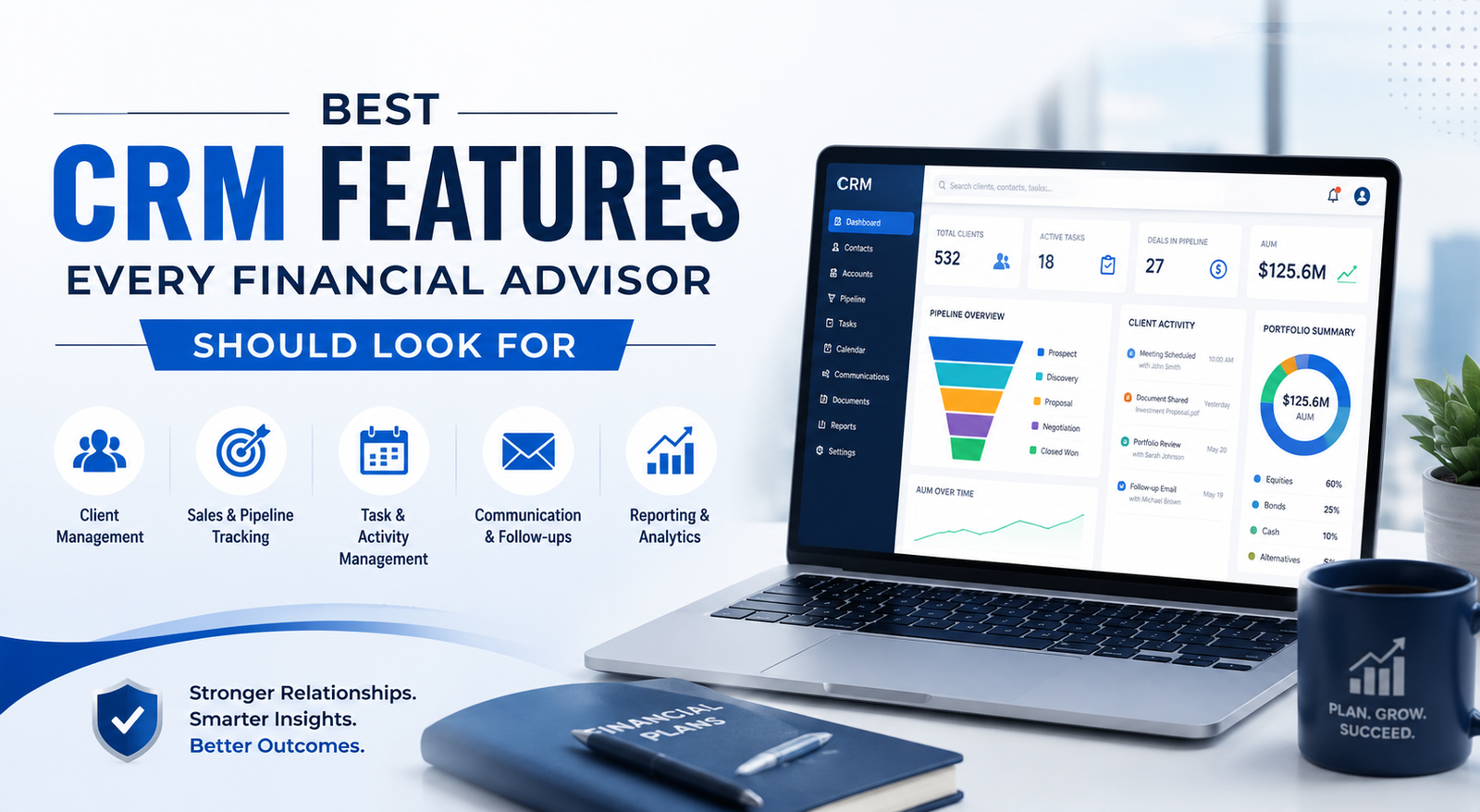
Choosing a CRM for your finance business? Discover the essential CRM features financial advisors need for client tracking, compliance, and growth.
Financial advisors deal with much more than investments and portfolio reviews. Every client interaction involves sensitive financial data, relationship management, compliance tracking, follow-ups, documentation, and long-term planning. Managing all of this manually becomes difficult as your client base grows.
That is where a Customer Relationship Management system, or CRM, becomes essential.
A good CRM helps financial advisors organize client information, automate repetitive tasks, improve communication, and deliver a better client experience. But not every CRM is designed for the financial services industry. Generic CRMs may miss important features that advisors need for compliance, workflow management, and relationship tracking.
In this guide, we will cover the best CRM features every financial advisor should look for before choosing a platform.
Why Financial Advisors Need a Specialized CRM
Financial advisors operate in a highly relationship-driven and regulated environment. Clients expect personalized advice, timely communication, and complete trust in how their financial information is managed.
Without the right CRM, advisors often face challenges like:
- Missed follow-ups
- Scattered client information
- Manual administrative work
- Difficulty tracking client goals
- Compliance risks
- Poor communication across teams
A financial advisor CRM centralizes everything in one place and helps advisors focus more on clients instead of administrative tasks.
1. Client Relationship Management
The core purpose of a CRM is managing client relationships efficiently.
A strong financial advisor CRM should allow you to:
- Store complete client profiles
- Track communication history
- Record meetings and notes
- Monitor financial goals
- Manage family relationships and beneficiaries
- View investment preferences and risk tolerance
Having all client information in one dashboard helps advisors deliver more personalized recommendations and build stronger long-term relationships.
2. Automated Workflow Management
Financial advisors handle repetitive tasks every day, including onboarding, appointment scheduling, document collection, portfolio reviews, and annual follow-ups.
Workflow automation helps reduce manual work by automating these processes.
Look for CRM features such as:
- Automated reminders
- Task assignments
- Email sequences
- Meeting follow-ups
- Workflow templates
- Recurring client review scheduling
Automation improves efficiency and ensures that no important task gets missed.
3. Compliance and Security Features
Security and compliance are critical in the financial industry. Advisors manage confidential financial information, so the CRM must provide enterprise-level protection.
Important security features include:
- Data encryption
- Multi-factor authentication
- Role-based access control
- Audit trails
- Secure document storage
- Compliance tracking
- Regulatory reporting support
A CRM designed for financial advisors should also help maintain compliance with industry regulations and recordkeeping requirements.
4. Contact and Communication Tracking
Strong client communication is one of the biggest factors behind client retention.
A CRM should track every interaction, including:
- Emails
- Phone calls
- SMS conversations
- Meeting history
- Notes and follow-ups
This ensures advisors always have full context before speaking with clients.
Communication tracking also helps teams collaborate better when multiple advisors or support staff work with the same client.
5. Financial Goal Tracking
Clients hire financial advisors to help achieve specific goals such as retirement planning, wealth growth, education funding, or estate planning.
A CRM built for advisors should support goal tracking features like:
- Retirement projections
- Investment milestones
- Financial planning timelines
- Net worth tracking
- Goal progress monitoring
This allows advisors to provide more strategic and personalized guidance.
6. Integration With Financial Tools
A CRM becomes much more powerful when it integrates with the tools advisors already use.
Look for integrations with:
- Portfolio management platforms
- Financial planning software
- Email systems
- Calendars
- Video conferencing tools
- Accounting software
- Marketing automation platforms
- Document management systems
Seamless integrations eliminate duplicate work and improve operational efficiency.
7. Document Management System
Financial advisors deal with contracts, investment documents, tax forms, reports, and onboarding paperwork regularly.
A CRM with document management capabilities should include:
- Secure file storage
- Document sharing
- Electronic signatures
- Version tracking
- File organization
- Client document portals
This reduces paperwork and improves the client onboarding experience.
8. Client Segmentation and Personalization
Not all clients have the same financial needs.
A good CRM allows advisors to segment clients based on:
- Assets under management
- Investment interests
- Age group
- Financial goals
- Risk tolerance
- Location
- Life stage
Segmentation helps advisors create personalized communication and targeted financial strategies.
9. Reporting and Analytics
Data-driven decisions help financial advisors improve performance and client service.
CRM reporting tools should provide insights into:
- Client engagement
- Revenue performance
- Lead conversion rates
- Advisor productivity
- Client retention
- Portfolio growth
- Workflow efficiency
Advanced analytics help identify opportunities and improve business operations.
10. Mobile Accessibility
Financial advisors often work remotely or meet clients outside the office.
A mobile-friendly CRM allows advisors to:
- Access client data anywhere
- Update meeting notes instantly
- Schedule appointments
- Respond to clients quickly
- Review financial information on the go
Mobile access improves responsiveness and productivity.
11. Lead Management Features
Growing a financial advisory business requires effective lead management.
The CRM should help advisors:
- Capture leads automatically
- Track lead sources
- Assign leads to team members
- Monitor lead stages
- Automate nurturing campaigns
- Track conversions
This helps advisors build a predictable client acquisition process.
12. Appointment Scheduling and Calendar Management
Managing appointments manually can become chaotic as client numbers increase.
Integrated scheduling tools help with:
- Calendar synchronization
- Appointment booking
- Automated reminders
- Meeting confirmations
- Follow-up scheduling
This improves client experience and reduces no-shows.
13. Custom Dashboards and Customization
Every financial advisory firm operates differently.
The best CRM platforms allow customization of:
- Dashboards
- Reports
- Workflows
- Client fields
- Pipelines
- Automation rules
Customization ensures the CRM matches your business process instead of forcing you to adapt to the software.
14. Email Marketing and Campaign Automation
Client education and engagement are important parts of financial advising.
A CRM with built-in marketing tools can help advisors:
- Send newsletters
- Share market updates
- Create drip campaigns
- Automate birthday or anniversary messages
- Run client education campaigns
Consistent communication strengthens client relationships and improves retention.
15. Scalability for Future Growth
The CRM you choose today should still support your business years later.
As your advisory firm grows, your CRM should handle:
- More clients
- Larger teams
- Additional workflows
- Advanced reporting
- Expanded integrations
Choosing a scalable CRM prevents expensive migrations later.
Common Mistakes Financial Advisors Make When Choosing a CRM
Many advisors choose a CRM based only on price or popularity. This often creates operational problems later.
Common mistakes include:
- Choosing a generic CRM without financial features
- Ignoring compliance capabilities
- Overlooking integration support
- Selecting overly complex systems
- Not considering future scalability
- Failing to test usability
The best CRM is the one that aligns with your firm’s workflow, compliance requirements, and client service model.
How to Evaluate a CRM Before Buying
Before investing in a CRM, financial advisors should evaluate:
Ease of Use
The platform should be easy for your entire team to adopt.
Industry-Specific Features
Look for tools designed specifically for financial advisors.
Integration Support
Ensure compatibility with your current software stack.
Customer Support
Reliable support is important during onboarding and troubleshooting.
Security Standards
Review data protection and compliance certifications carefully.
Pricing Structure
Understand long-term costs, including add-ons and user expansion.